7 mirror selfie poses that don't look stiff
What to do with your free hand, where to look, and why the phone sits where it does.
Read the guide PoseLab
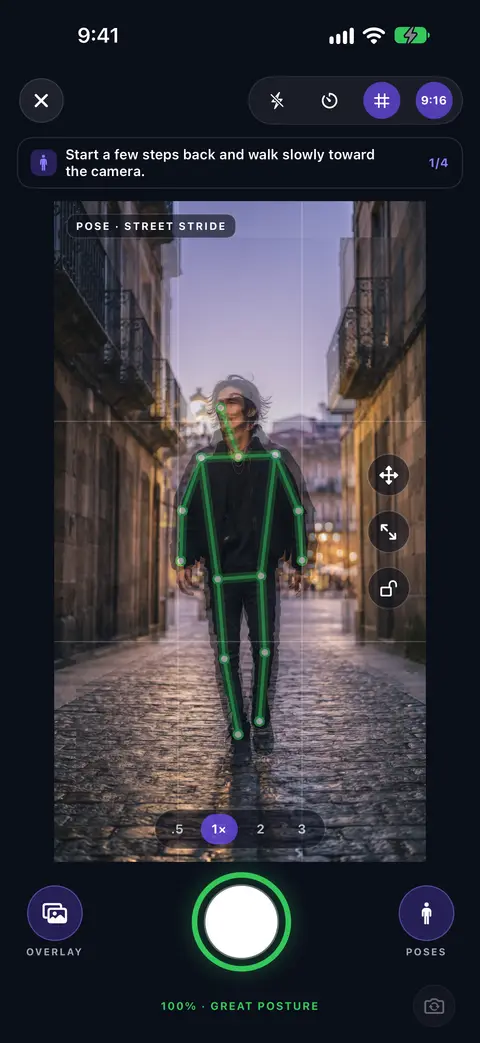
Pick a pose, see it on your camera, and match it. The ring turns green when you've got it.

Free for iPhone.
What is PoseLab?
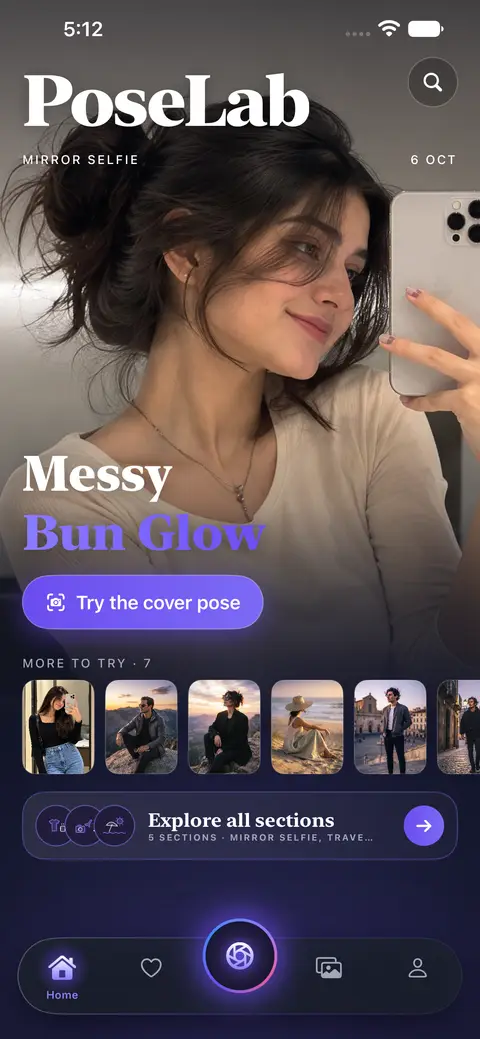
PoseLab is an iPhone app for people who never know how to pose. It gives you pose ideas for mirror selfies, café dates, photo dumps, travel and profile pictures, then shows the pose on your live camera. When your body lines up with the pose, the match ring turns green and you take the photo.
How it works
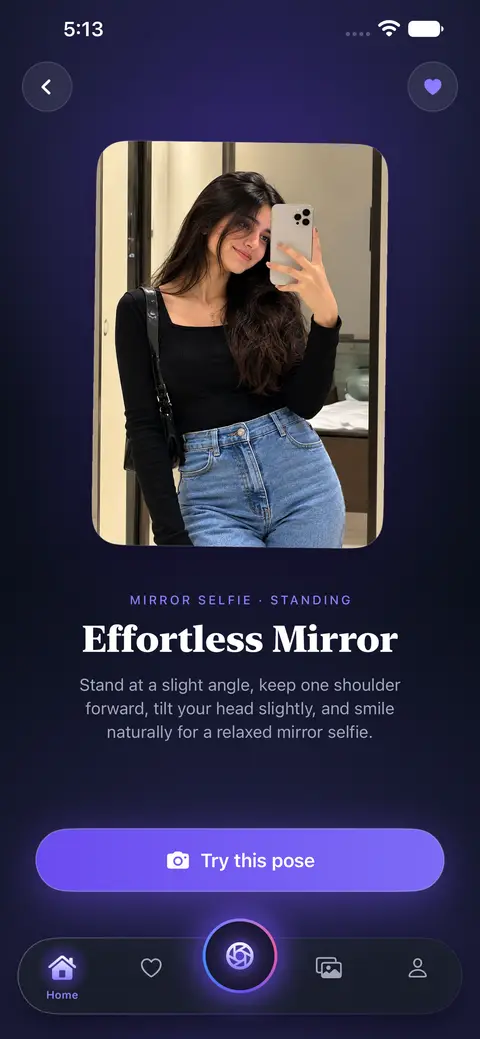
Choose one for the moment. Every pose comes with a short tip on how to stand.
The pose outline sits on your camera. Line up your body and the ring turns green.
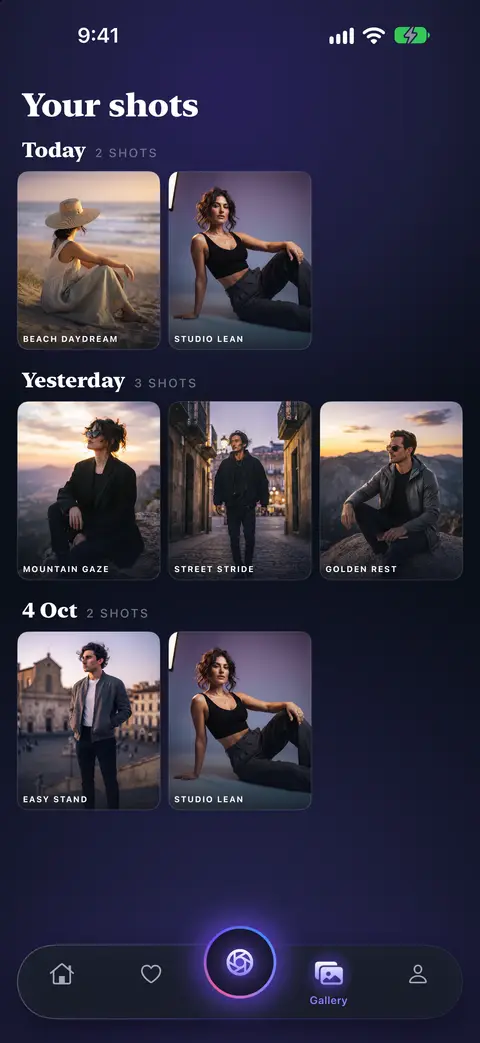
Your photos stay in PoseLab on your phone until you save or share them.
Features
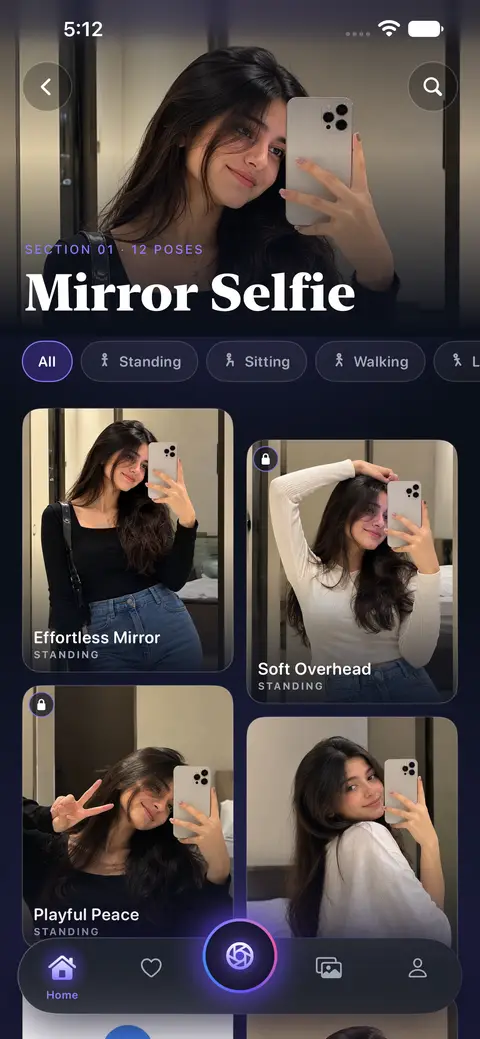
Poses are sorted into sections, so you start from the photo you want to take.
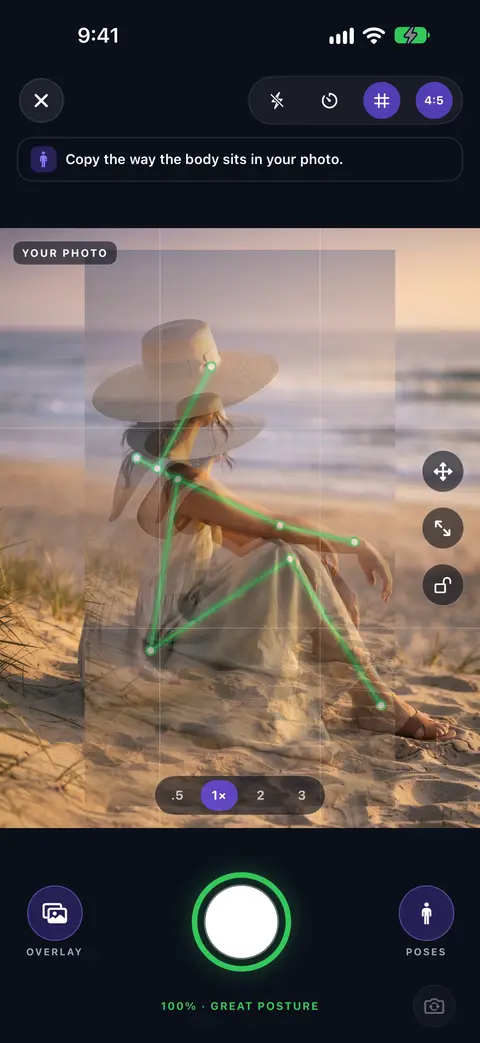
Saw a pose you like somewhere else? Use that photo from your gallery as the guide.
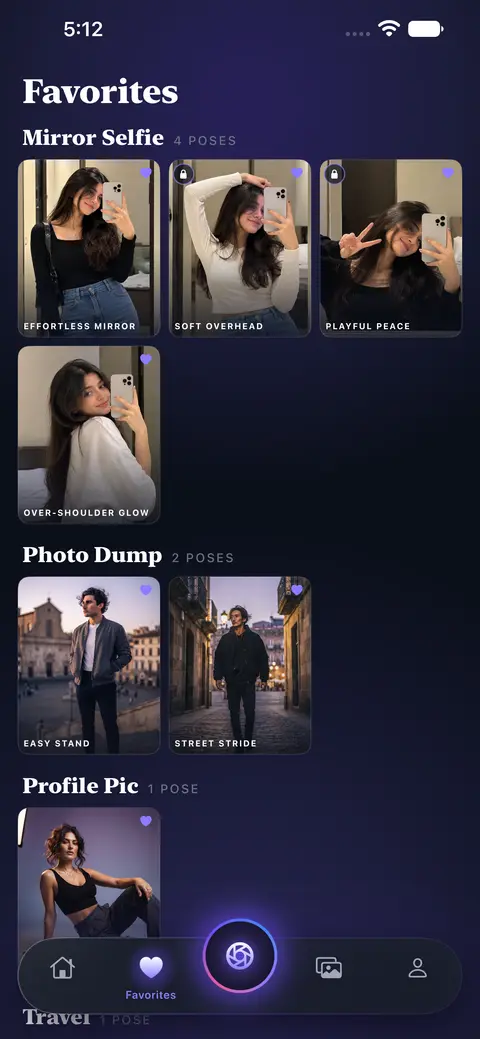
Tap the heart on a pose and it waits in Favorites, sorted by section, for the next time you shoot.
The camera and the pose matching run on your phone. We never upload your photos.
Continue as a guest, or sign in so your favorites follow you to a new phone.
PoseLab is free with ads. Pro removes the ads, unlocks every pose and takes the watermark off your photos.
Pose guides
Short, plain guides on posing for the moments people ask about most.
What to do with your free hand, where to look, and why the phone sits where it does.
Read the guideSitting, leaning, walking in. How to use the cup, the window and the chair.
Read the guideBack turns, hands, shadows and crops — photos that still feel like you.
Read the guideQuestions & help
PoseLab is an iPhone app that gives you pose ideas for photos and shows the pose on your live camera, so you can match it before you take the picture.
Pick a pose and open the camera. The pose outline sits on your screen, PoseLab follows your body, and the match ring turns green when you line up with the pose. All of this runs on your phone.
Yes. PoseLab is free to download and use, with ads. Some poses unlock after you watch one ad. PoseLab Pro is an optional subscription that removes the ads, unlocks every pose and takes the watermark off your photos.
Mirror selfie, café date, photo dump, travel, beach and profile picture poses, for women and men, standing, sitting, walking or leaning. Each pose has a short tip on how to stand.
Yes. Choose any photo from your gallery and PoseLab shows it over the camera as your guide. You can drag, pinch and fade it.
The live match follows one person at a time, so it works best for solo photos.
On your phone. The camera and the pose matching run on your phone, and we never upload your photos.
No. You can continue as a guest. If you sign in, your favorites and preferences follow you to a new phone.
Any iPhone with iOS 16 or later. You must be at least 13 years old to use PoseLab.
Open iPhone Settings → your name → Subscriptions → PoseLab.
Open the PoseLab Pro screen and tap "Restore" with the same Apple ID.
In the app, open Profile and choose delete account. Photos on your phone are not touched.
Email us at svastsys.tech@gmail.com. Tell us your iPhone model and what happened, and we'll get back to you.